Pipeline you can trust
Every opportunity is a project with a stage, a value and a close date. See what is open, what is won and what is slipping — without chasing anyone for an update.

Sovereign brings your clients, pipeline, projects, support and follow-ups into one place — shaped around how you work, hosted where you choose, and yours to keep.
No hard sell. No commitment.
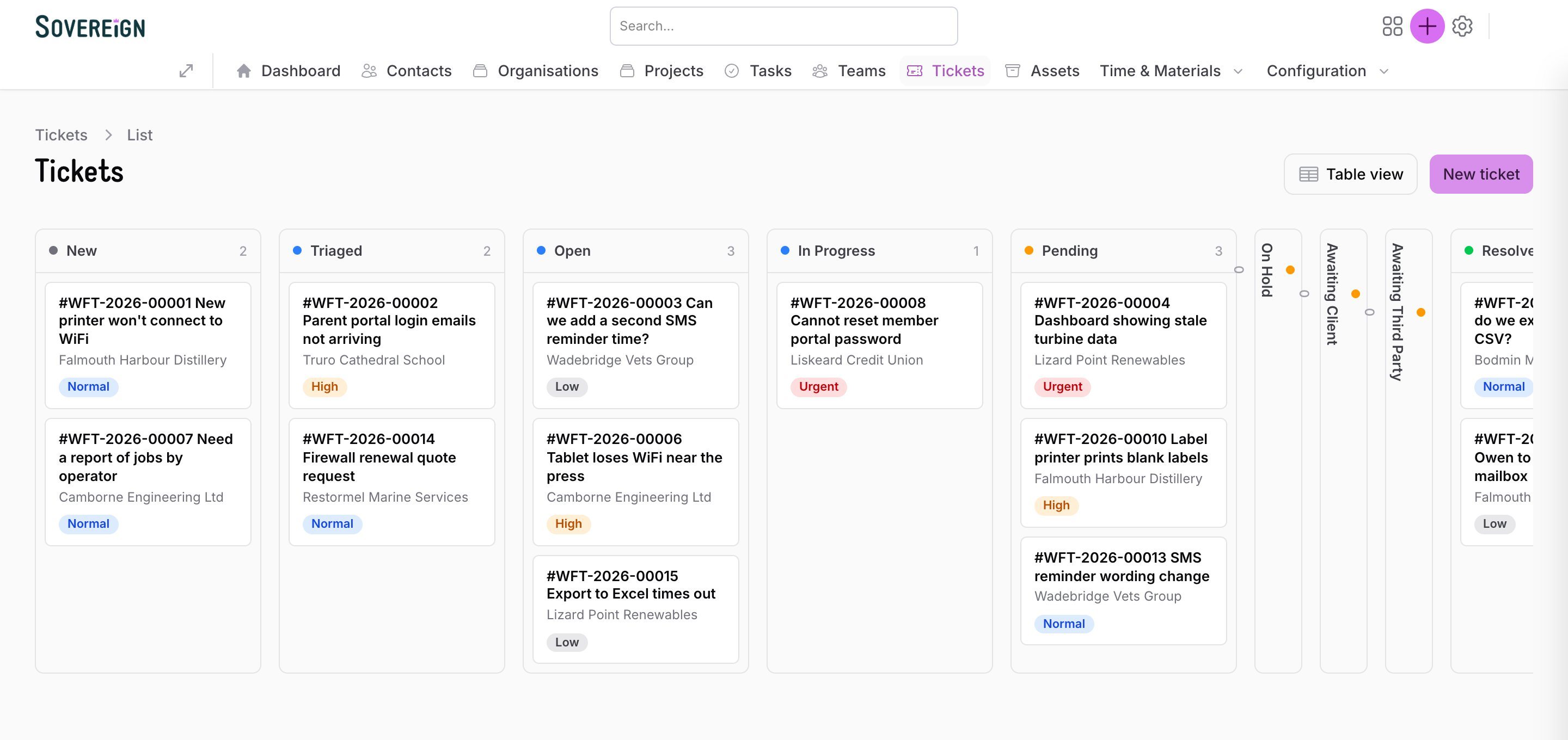
Sovereign makes income, pipeline, delivery and follow-up visible every day — so you always know what moves revenue forward, what’s blocking it, and who owns the next step.
Every opportunity is a project with a stage, a value and a close date. See what is open, what is won and what is slipping — without chasing anyone for an update.
Tasks, owners and due dates live on the client record. Overdue work surfaces itself instead of hiding in someone’s inbox.
Clients raise and track requests through a portal with no account needed, or simply email in. Every request becomes a ticket with an owner.
Attach agreements to clients, track response and resolution times, and pause the clock when you’re waiting on them — with a ledger that shows why.
Record time, materials and commercial events against each project, so profitability is visible while the job is live, not months later.
Contacts, organisations, projects, tickets, assets and notes all connect, so anyone can pick up a conversation exactly where it was left.
From the first conversation to the last support ticket — here’s what it looks like day to day.
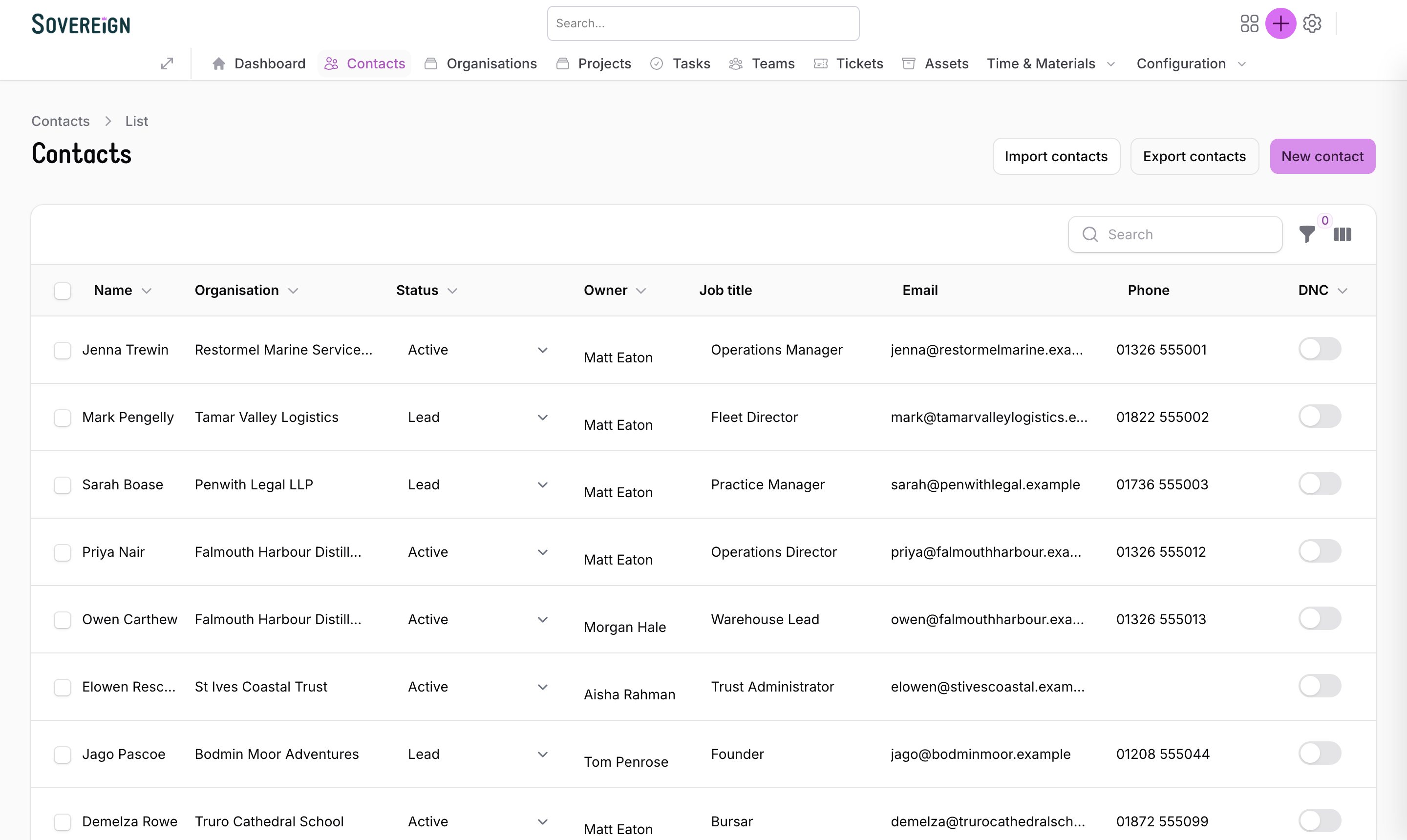
People, companies and everything that has happened with them, in a list that works like a spreadsheet and a record that works like a file.
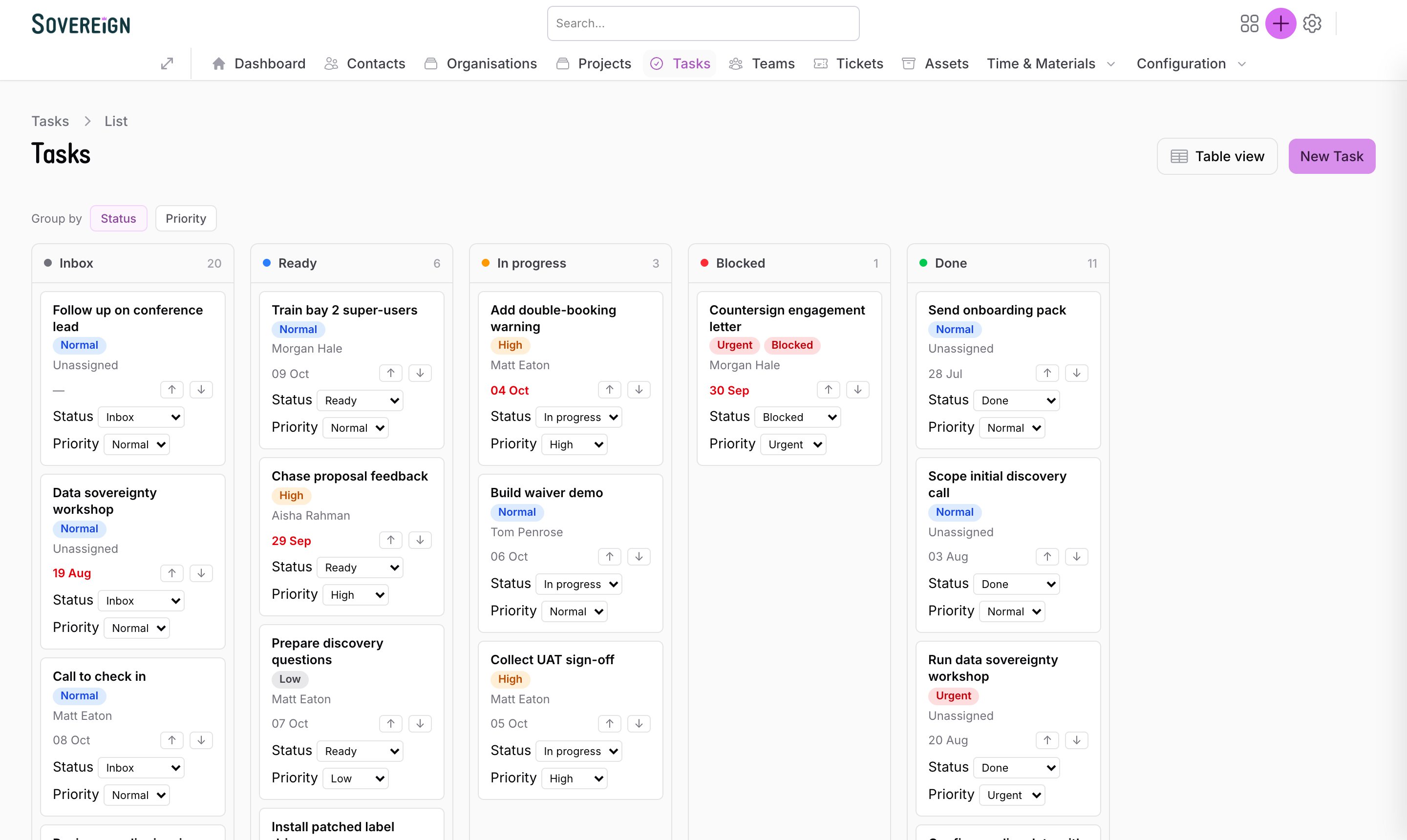
Every task has an owner, a due date and a place on the client or project it belongs to. See the whole team’s work as a board or a table.
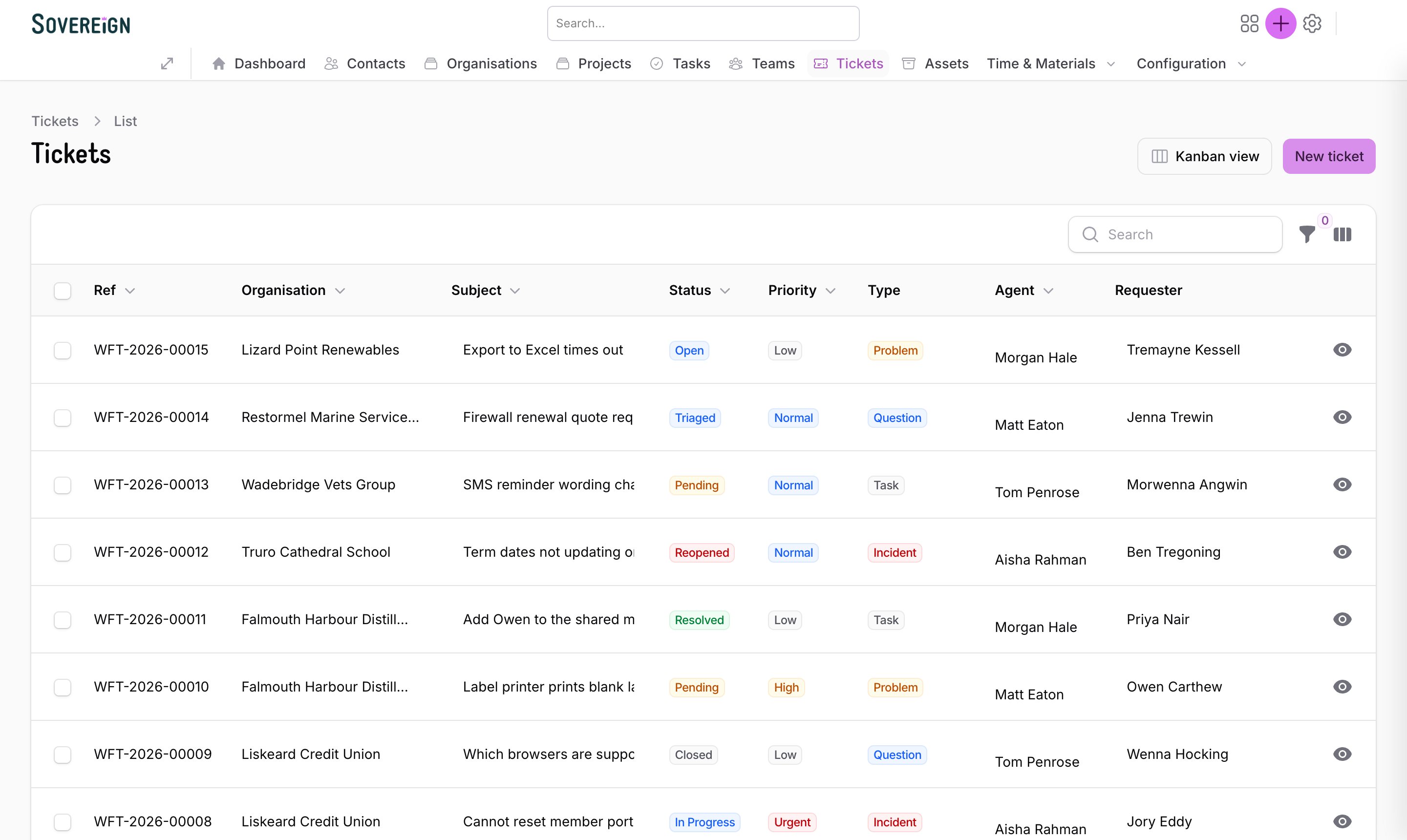
Requests arrive from the client portal or by email and land in one queue, each with an owner, a priority and a clear history.
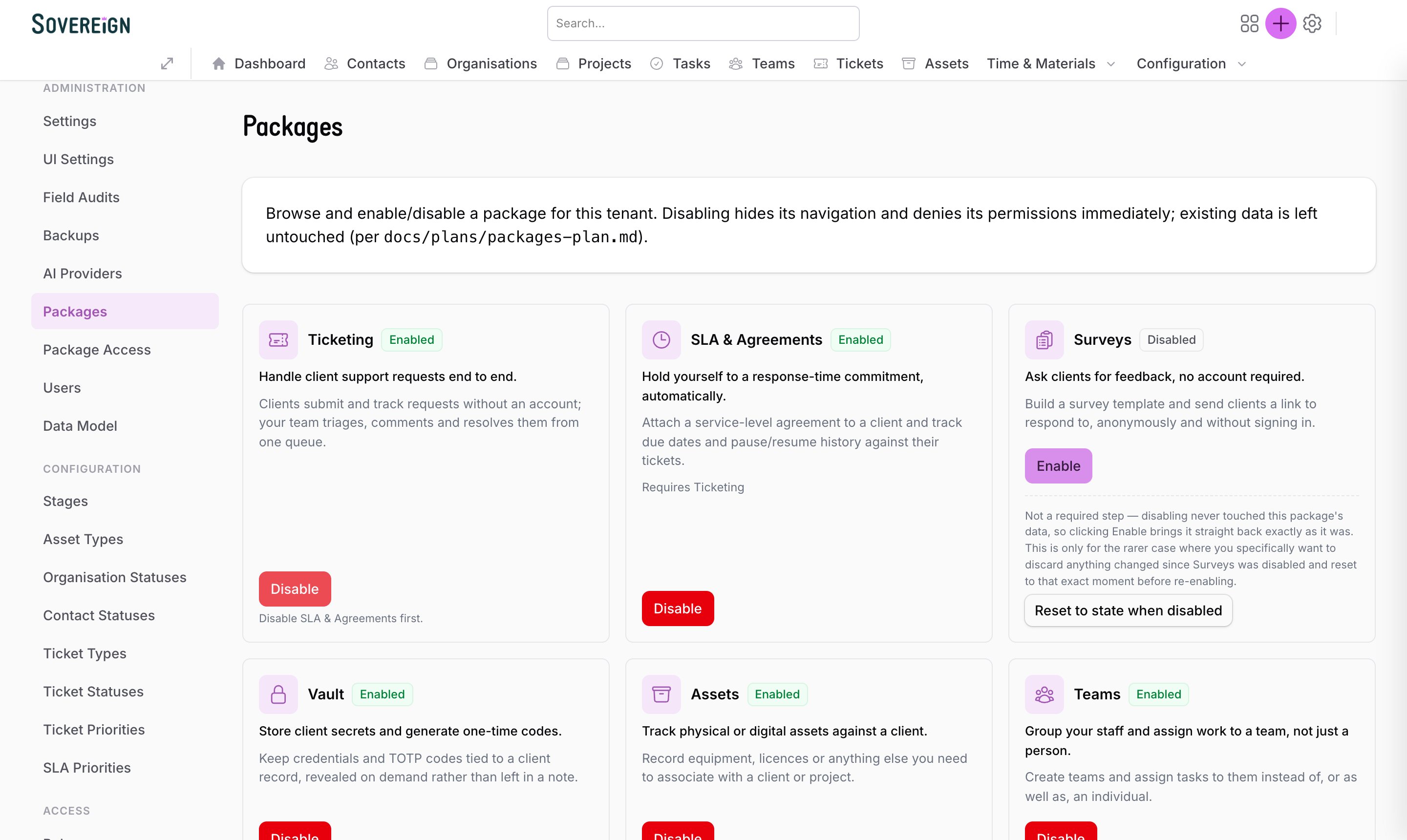
Sovereign starts small and grows with you. Capabilities are packages you enable when you’re ready — and turning one off never throws your data away.
A Desk is a curated menu and landing dashboard built for one job — sales, service, marketing, or a specific team’s day. Everyone starts on the numbers that matter to them, and nothing they don’t need gets in the way.
Not a chatbot bolted on the side. These features are live in Sovereign today, they only see what the person using them is allowed to see, and everything they do is on the record.
Put a question in plain English — “what’s overdue?”, “what’s in delivery?”, “how much is in the pipeline?” — and get an answer from your live records, not a guess.
Paste a brain-dump from a call. The AI proposes the organisation, contact, project, commercial events and tasks it found. You review and approve before anything is saved.
Each organisation connects its own AI provider with its own key, and can switch or add more. Your data is never sent through a shared account of ours.
A read-only API lets tools like Claude query your pipeline, tasks and records. Access is by personal token, permission-gated, rate-limited and logged.
AI work is attributed to an AI user acting for a named person, never hidden. It can’t do anything that person couldn’t, and every change shows in the audit trail.
AI proposes; people decide. Nothing is written to your records without a human approving it, and an administrator can switch the assistant off.
Custom packages, tailored exactly to your business, built far faster and for far less than traditional software development — because we use AI throughout, with senior people steering every project.
Your fields, your stages, your approvals and your reports — not a workaround for someone else’s idea of your business.
Starting from a working platform and building with AI means something real in your hands far sooner.
You pay for what makes your business different, not for rebuilding what every business needs.
We build in the open and ship steadily. Here’s what we’re working on next. Plans can change, and we’ll never sell you something that isn’t built.

Ask Sovereign a question or log an update without leaving Slack. Use a slash command, mention it in a channel, or send it a direct message.
Capture enquiries from every source, catch duplicates and merge them, log calls with outcomes and reminders, and give each salesperson a home screen of what to do today.
Coming upSee which channels bring in business. Capture touchpoints, pull in ad spend from Google and Meta, score leads, and report return on spend.
Coming upBuild and save your own reports with filters and groupings, then pin them to a dashboard and drill from any chart down to the records behind it.
Coming upWhen this happens, do that: create a follow-up, assign an owner, send a reminder. Set up by you, with no developer involved.
Coming upEmails with your known contacts logged against their record automatically, so the whole conversation is in one place.
Coming upBring quote and order values in from your quoting or manufacturing system, so revenue and return on spend come from real figures.
Coming upSeveral contacts on a project, each with a role — homeowner, architect, specifier — plus site addresses and branches.
Coming upRecord the products each enquiry is interested in, and report on what’s in demand.
Coming upBranch-level visibility, so people see only their own patch, and a toolkit for handling data-protection requests.
Coming upThe extras are part of the same system, so they share the same clients, the same search and the same audit trail.
One record for the opportunity and the delivery, with stages you define.
Add your own fields and objects without a developer or a new release.
Ask clients for feedback with a link — no account, anonymous if you prefer.
Keep client credentials and one-time codes on the record, revealed on demand.
Track equipment, licences and anything else you look after for a client.
Assign work to a team as well as to a person.
Log operatives’ time and materials against the job they belong to.
Bring data in from a spreadsheet and take it out whenever you like.
One search box across clients, contacts, projects and tickets.
Plain-English guides inside the product, so new starters can find their feet.
Most business systems are rented, rigid and hard to leave. Sovereign is the opposite: configured to how you work, with your data and your system firmly in your hands.
Not a rigid template. Stages, statuses, fields and objects are yours to define, and they change when your business does.
Available on a perpetual licence as well as by subscription. Buy it once and it’s yours — no dependence on us to keep it running.
On your own servers, in your private cloud, or in a Wayfînder-managed environment — whichever suits your data and infrastructure.
From a self-managed system with the odd call to us, to a fully managed service where we run it for you. You choose.
Single sign-on inside the domains you allow. No new passwords to forget.
Every record belongs to one organisation and is locked to it twice over: in the application and in the database itself.
See who changed what, and when, for people and AI alike.
Scheduled, optionally encrypted, with a tested restore that keeps a safety copy first.
A short walkthrough using your sort of work: your pipeline, your support, your follow-ups. We’ll tell you honestly if it’s a fit.
We configure the stages, statuses, fields and packages around how you already work, rather than the other way round.
Bring your contacts and organisations across from a spreadsheet, and we’ll stay close while your team settles in.
Tell us a little about you and what you’d like to see. We’ll come back to you by email to arrange a walkthrough built around how you actually work.